
How to Choose the Right Silicone Pad for Pad Printing
Pad shape, size, height and Shore 00 hardness all affect how the silicone pad picks up the etched image and transfers it onto the part. The goal is simple: choose a pad that rolls cleanly across the full image with the least practical compression and the least distortion.
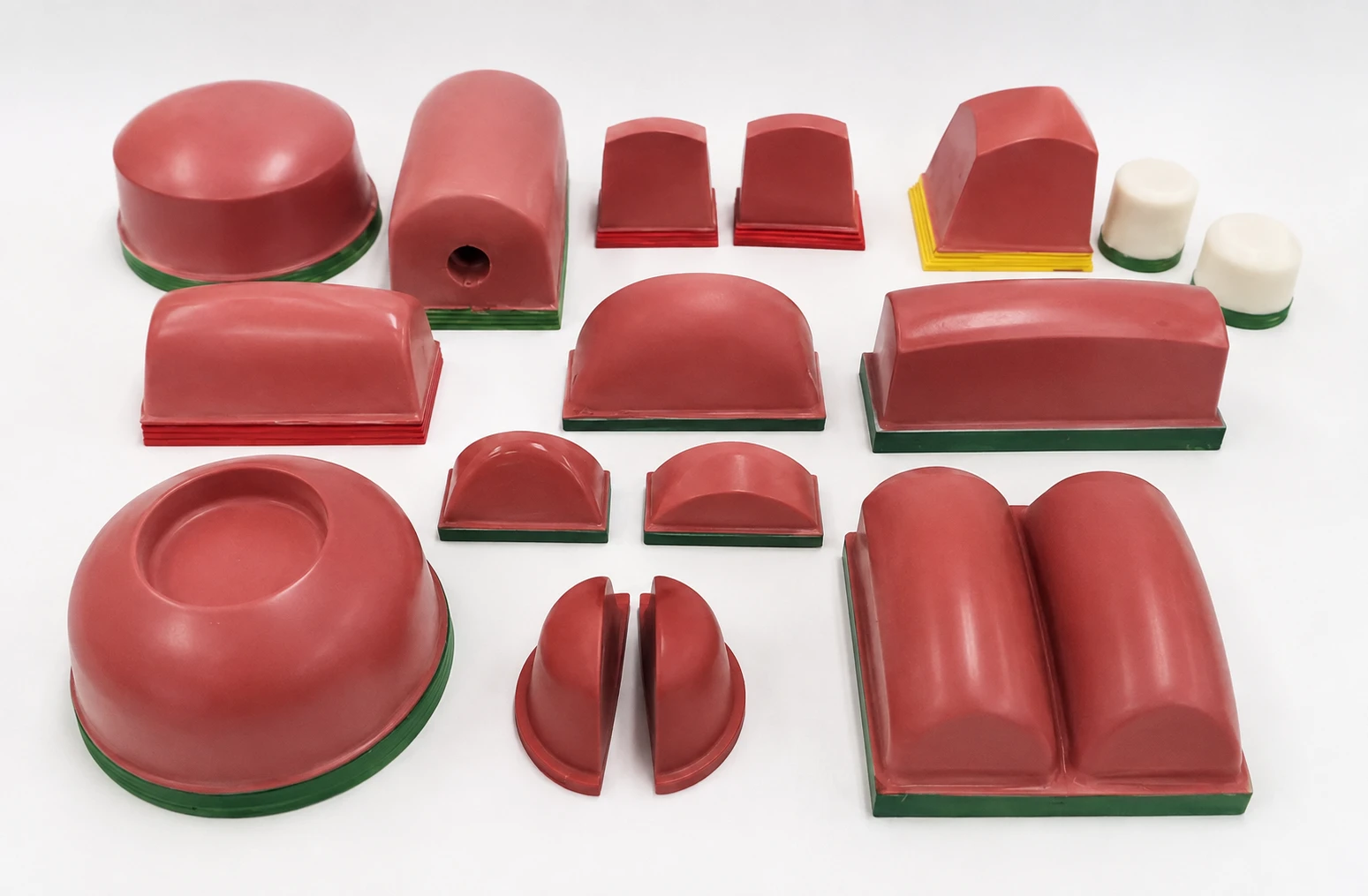
Six Factors Determine Pad Selection
There is rarely only one silicone pad that can print a given part successfully. The best choice is the pad that delivers repeatable ink pickup and transfer while fitting the physical limits of the machine and part.
Pad Shape
The profile determines how the silicone compresses and rolls across the cliché and the part.
Pad Size
A larger practical pad generally deforms less and helps keep the transferred image stable.
Pad Height
Taller profiles can provide more rolling action and may reduce the compression force required.
Shore 00 Hardness
Harder pads provide greater image stability; softer pads provide more conformability.
Surface Condition
The printing surface must remain clean and undamaged for reliable ink pickup and release.
Silicone & Mounting
Formulation, base style and mounting arrangement should match the production requirement.
The Pad Must Roll — Not Stamp Flat
Good pad printing depends on controlled rolling action. As the pad compresses onto the cliché and then onto the part, the contact area should move progressively outward instead of trapping air under a broad flat surface.
- Favor a pad profile with a defined apex or higher angle of attack when the application allows it.
- Watch the pad compress: the contact patch should visibly roll across the complete etched image.
- Whenever practical, position the apex so it does not land directly on critical artwork.
- If ink pickup is irregular, look for trapped air before changing ink, cliché or machine settings.
- When one direction of the image is incomplete, compare a similar pad with more size in that direction.
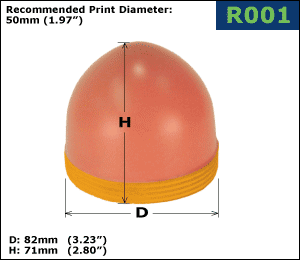
Round Pads
Balanced, concentric compression. A strong starting point for many compact graphics and general applications.
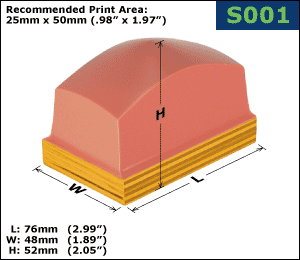
Square Pads
Useful where machine clearance favors a square footprint while still providing controlled compression.
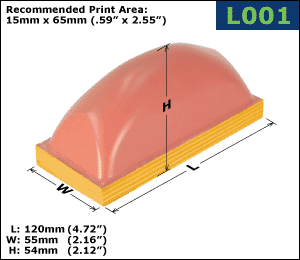
Loaf Pads
Longer pad geometry for linear artwork, elongated print areas and products such as barrels or narrow components.
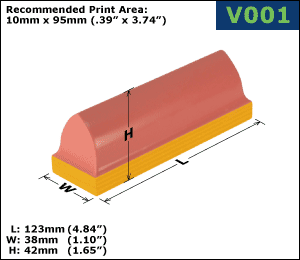
V-Shaped Pads
Narrow, elongated profiles for specialized linear images, tight access and applications needing a defined rolling edge.
Use the Largest Practical Pad — With Enough Height to Roll
Why Larger Pads Usually Print Better
A pad that is comfortably larger than the artwork normally deforms less as it compresses. Less deformation means less image stretch, especially near the outer edges of the print.
The practical limit is set by your machine clearance, cliché dimensions, pad holder, available compression force and surrounding fixtures.
Why Pad Height Matters
Pad height affects how easily the silicone can flex and roll. A taller version of a similar shape may compress more progressively and can sometimes help when a large pad requires more force than the machine can comfortably provide.
Always confirm total machine clearance before increasing pad height.
Choose Pad Hardness on the Shore 00 Scale
Deco Tech identifies silicone pad hardness using the Shore 00 scale. Harder pads generally provide greater image stability and crisp transfer, while softer pads conform more easily to difficult geometry, fragile parts or lower-force machines.
| Base Color | Shore 00 | Relative Feel | Typical Selection Reason |
|---|---|---|---|
| Orange | 20–25 | Softest standard range | Maximum conformability when geometry or available force requires it |
| Blue | 30–35 | Soft | Complex contours, sensitive parts or lower compression capability |
| Green | 40–45 | General purpose | Common starting range balancing conformability and print stability |
| Yellow | 50–55 | Medium-firm | Common production range where additional image stability is desired |
| Red | 60–65 | Firmest standard range | Maximum stability, textured surfaces, recessed areas and applications where a firm roll is practical |
Move Harder When...
- You need more image stability and less pad deformation.
- The print is near a raised feature or recessed area that the pad must roll across.
- You are using a multi-pad matrix where consistent pad behavior is important.
- The machine has sufficient compression force for the selected pad.
Move Softer When...
- The part is heavily contoured and needs more pad conformity.
- The substrate is fragile and cannot tolerate higher compression.
- The machine cannot sufficiently compress the firmer pad.
- A custom or dual-durometer solution is not practical for the application.
Protect the Printing Surface
The silicone surface is the actual transfer interface. Cuts, contamination, dried ink, aggressive cleaners or excessive compression can quickly turn a correctly selected pad into a print-quality problem.
- Use quality pad cleaning tape to remove dust, dried ink and production debris.
- Do not clean silicone pads with alcohol during production.
- Avoid unnecessary exposure to aggressive solvents that can damage or swell the silicone.
- Never cycle the pad into an empty fixture or against sharp part edges.
- Use the least practical pad force and back off stroke distances during new setup.
- Store pads carefully at room temperature and never stack one silicone printing surface directly on another.
Select the Formulation Around the Production Need
After shape, size, height and durometer are narrowed down, choose the silicone formulation and mounting arrangement that best fit the application and machine setup.
DuraPro™
Deco Tech's flagship formulation for demanding industrial production, repeatability and long pad life.
Stat-X™
Conductive silicone for applications where static buildup, dust attraction or ESD concerns can affect production.
Printz™
A general-purpose formulation designed around quick break-in, consistent transfer and strong overall value.
Wood Bases
A practical standard mounting option available with multiple base thicknesses and threaded insert choices. Confirm the insert style needed by your pad holder before ordering.
Aluminum Bases
Useful where rigid, repeatable positioning is important, including multiple-pad arrangements. Confirm tapped-hole pattern and total machine clearance.
What the Print Defect May Be Telling You
Before changing every variable in the process, look at how the pad is compressing. Several common print defects point directly back to pad shape, size, hardness or machine force.
| Symptom | Likely Pad-Related Cause | What to Try |
|---|---|---|
| Incomplete or irregular ink pickup | Air is being trapped between the pad and cliché because the pad is not rolling outward cleanly. | Try a steeper profile, reposition the apex relative to the image, or compare a different shape. |
| Image distortion near the edges | The pad may be too small or is being over-compressed. | Use a larger practical pad and reduce pad force to the minimum needed for complete transfer. |
| Pad will not fully conform to the part | The pad may be too firm, too short or the machine may not have enough compression capability. | Compare a softer durometer, taller profile or custom / dual-durometer solution. |
| Print sits next to a raised feature or inside a recess | A soft pad may deform into the obstruction instead of rolling over it cleanly. | Compare a firmer pad or a custom pad with geometry designed around the obstruction. |
| Pad surface wears or cuts prematurely | Excessive stroke, sharp fixture edges, empty fixture cycling, contamination or improper cleaning. | Reduce stroke/force, inspect the fixture and part, and use pad cleaning tape rather than aggressive cleaning methods. |
| Dust or static affects fine-detail printing | Static buildup can attract contamination to the print zone. | Evaluate Stat-X™ anti-static silicone and review the complete production environment. |
A Four-Step Pad Selection Checklist
Define the Print
Record artwork width and height, print location, part geometry and any raised or recessed areas near the image.
Check Machine Limits
Confirm available pad clearance, maximum practical compression, cliché size, holder arrangement and nearby fixtures.
Narrow Shape & Size
Choose a shape that will roll through the complete image and use the largest practical pad that fits the press.
Test & Fine-Tune
Start with a practical Shore 00 range, print samples, inspect distortion and pickup, then adjust only what the result indicates.
Pad Printing Pad Selection FAQ
What is the most important factor when choosing a pad printing pad?
Should I use a larger or smaller silicone pad?
What Shore hardness is used for Deco Tech pad printing pads?
Is a harder silicone pad always better?
Why does my pad pick up only part of the image from the cliché?
How should I clean a silicone pad during production?
When should I consider a custom silicone pad?
Can Deco Tech help choose a pad for a new application?
Start With the Pad Finder — Then Let the Application Confirm the Choice
Use artwork size and part geometry to narrow the Deco Tech catalog, or send the application to our team when the job requires additional review, custom geometry or production testing.
How to Select the Proper Silicone Pad for Your Pad Printing Job
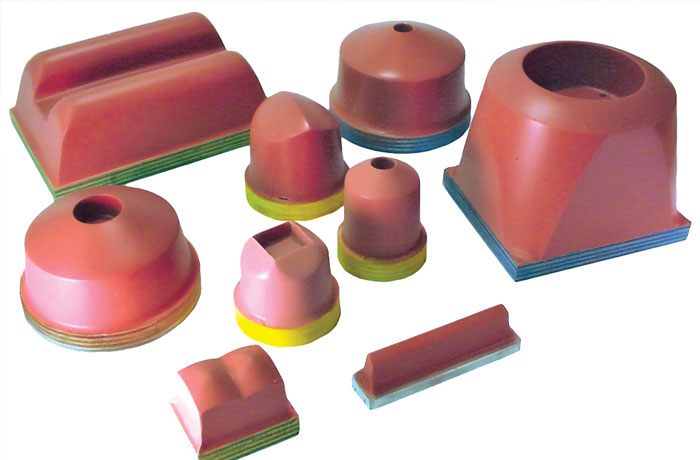
One of the most frequently asked questions in the early stages of learning the do's and don'ts of the pad printing process is, "How do I know what pad to use for this part?"
Factors to Consider When Selecting a Pad
1. Pad Shape
The shape of the pad directly influences the quality of the print, particularly on irregular or complex surfaces. Selecting the proper pad shape ensures even ink transfer and reduces the risk of distortion. Common pad shapes include:
- Round Pads: Ideal for curved or uneven surfaces.
- Square Pads: Feature a flat surface with defined edges, offering versatility for a variety of applications.
- Rectangular Pads: Best suited for flat or slightly curved substrates.
- V Shaped Pads: Long and narrow, designed for intricate or linear designs.
- Loaf Pads: Rectangular with a rounded top, resembling a loaf shape
- Custom Pads: Designed for unique shapes and specialized applications.
2. Pad Hardness
The hardness of a pad, measured in Shore A, determines its flexibility and ability to adapt to the substrate’s surface.
- Soft Pads: Better for uneven or highly textured surfaces.
- Medium Pads: A versatile choice for most applications.
- Hard Pads: Suitable for flat surfaces or when crisp, detailed prints are required.
3. Substrate Material Compatibility
The substrate’s material plays a crucial role in determining the type of pad needed. Certain materials, such as plastics, metals, or glass, may require specific pad characteristics for better adhesion and transfer.
4. Ink Type
Different inks behave uniquely during the printing process. Choosing a pad compatible with your ink type—whether UV, solvent-based, or water-based—is essential for achieving high-quality results.
Why Choose Deco Tech for Your Pad Printing Needs?
At Deco Technology Group, we offer a comprehensive range of silicone printing pads designed to meet the demands of various industries and applications. With decades of expertise, we provide:
- High-quality silicone pads in a variety of shapes and hardness levels.
- Expert advice on selecting the right pad for your specific job.
- Comprehensive technical support and resources to enhance your printing process.